Guide ·
Where was an email sent from? Tracing its route and IP location from the header
By: Kemal Özleyen, Cybersecurity Engineer · Check Point Workspace Security Expert · Kinetik Bilişim
Where an email was sent from is written in the Received lines of its header: read from the bottom up, each line gives a hop and its IP. Mailskop’s header analyzer maps this route at country or region level and never makes up a location.
The route is written in the Received lines
Every SMTP server that accepts a message adds a Received line at the very top of the header; it must not change or delete existing lines or reorder them (RFC 5321 §4.4). So the top line is the last hop, written by the recipient’s server, and the bottom line is the first hop, where the message set off. The route is read from the bottom up.
The from part of each line holds two things: the name the connecting side gave itself (the EHLO name) and the IP address the writing server saw on the TCP connection (RFC 5321 §4.4). The name is the connecting side’s claim; the IP is recorded by the server that accepted the message. by is the server that received it, and with is the type of connection: ESMTPSA means sent with an authenticated account over an encrypted connection (RFC 3848). The date at the end of the line gives the delay between hops.
Received lines of a synthetic phishing email (shortened: the top two lines, internal Microsoft 365 handling, were removed)
Received: from DB1PEPF000509F0.eurprd03.prod.outlook.com
  (2603:10a6:10:120:cafe::7a) by DB8PR06CA0044.outlook.office365.com
  with Microsoft SMTP Server; Sat, 14 Mar 2026 06:13:46 +0000
Received: from mail-ot1-x32a.google.com (2607:f8b0:4864:20::a)
  by DB1PEPF000509F0.mail.protection.outlook.com
  with Microsoft SMTP Server; Sat, 14 Mar 2026 06:13:45 +0000
Received: by mail-ot1-x32a.google.com with SMTP
  id 46e09a7af769-72b8c4b2a4fso112233a34.1;
  Fri, 13 Mar 2026 23:13:44 -0700 (PDT)
Received: from DESKTOP-K7Q2M ([49.36.144.222])
  by smtp.gmail.com with ESMTPSA
  id 46e09a7af769-72b8c4b2a4fsm998877a34.12;
  Fri, 13 Mar 2026 23:13:43 -0700 (PDT)
Reading the example from the bottom up
- Bottom line: a computer named
DESKTOP-K7Q2Mconnected from49.36.144.222to Gmail’s submission server with an account (ESMTPSA). The computer name is the sender’s claim; Gmail wrote the IP. This is the origin address Gmail saw; if a VPN was in between, it is the VPN server’s address. - The line above: the message moved inside Google to
mail-ot1-x32a.google.com. This line has nofrom; it is a handover within the same system. - The line above: Microsoft 365’s inbound server (
mail.protection.outlook.com) took the message from Google and recorded the Google server’s IP itself. - The top lines: the message moved inside Microsoft 365 to the recipient’s mailbox. The times are written in different time zones (
-0700and+0000); once the offset is applied, the delay between hops is seconds. This is why RFC 5321 §4.4 recommends explicit offsets in the date.
Which lines can you trust?
Received lines are not authenticated at the transport level: RFC 5321 §7.1 says that in SMTP a sender can build a message that makes the recipient believe it came from somewhere else. The upper lines written by the recipient’s own servers are their observation; the lines below them may have been written by the sender. RFC 5322 §3.6.7 also treats trace fields as strictly informational.
That is why Mailskop takes each hop’s IP from where the server that accepted the message from that hop recorded it. If a server left no Received line of its own, the next server wrote its name and IP; Mailskop still shows that hop and notes this.
Reading the Mailskop map
Mailskop’s header analyzer numbers the hops starting from the bottom Received line and draws the ones whose location can be determined as a route on a world map. Consecutive hops in the same country share one marker; “4–7” on a marker means the hops that stayed in that country. The line follows the order of the hops; it shows neither distance nor the actual cable path.
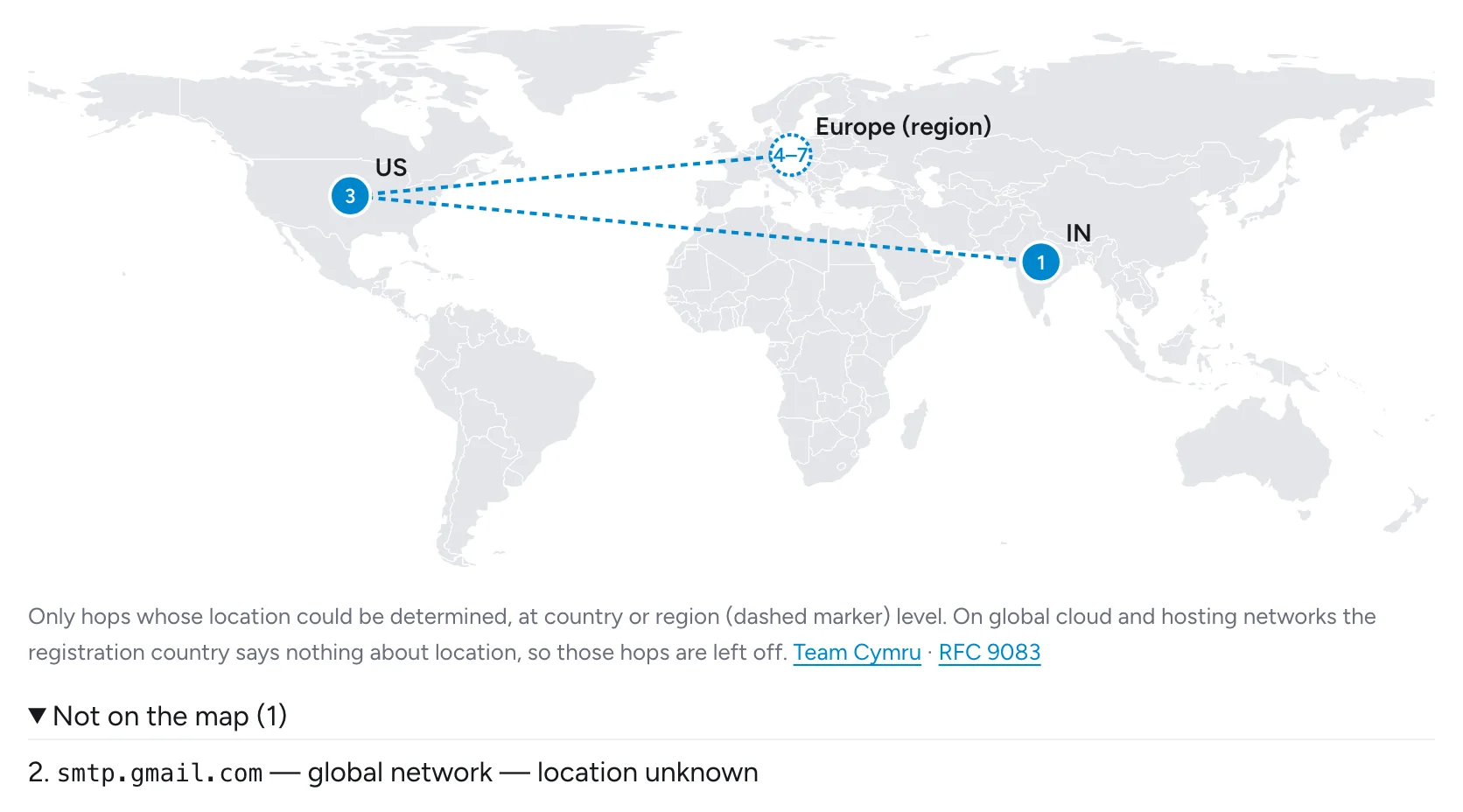
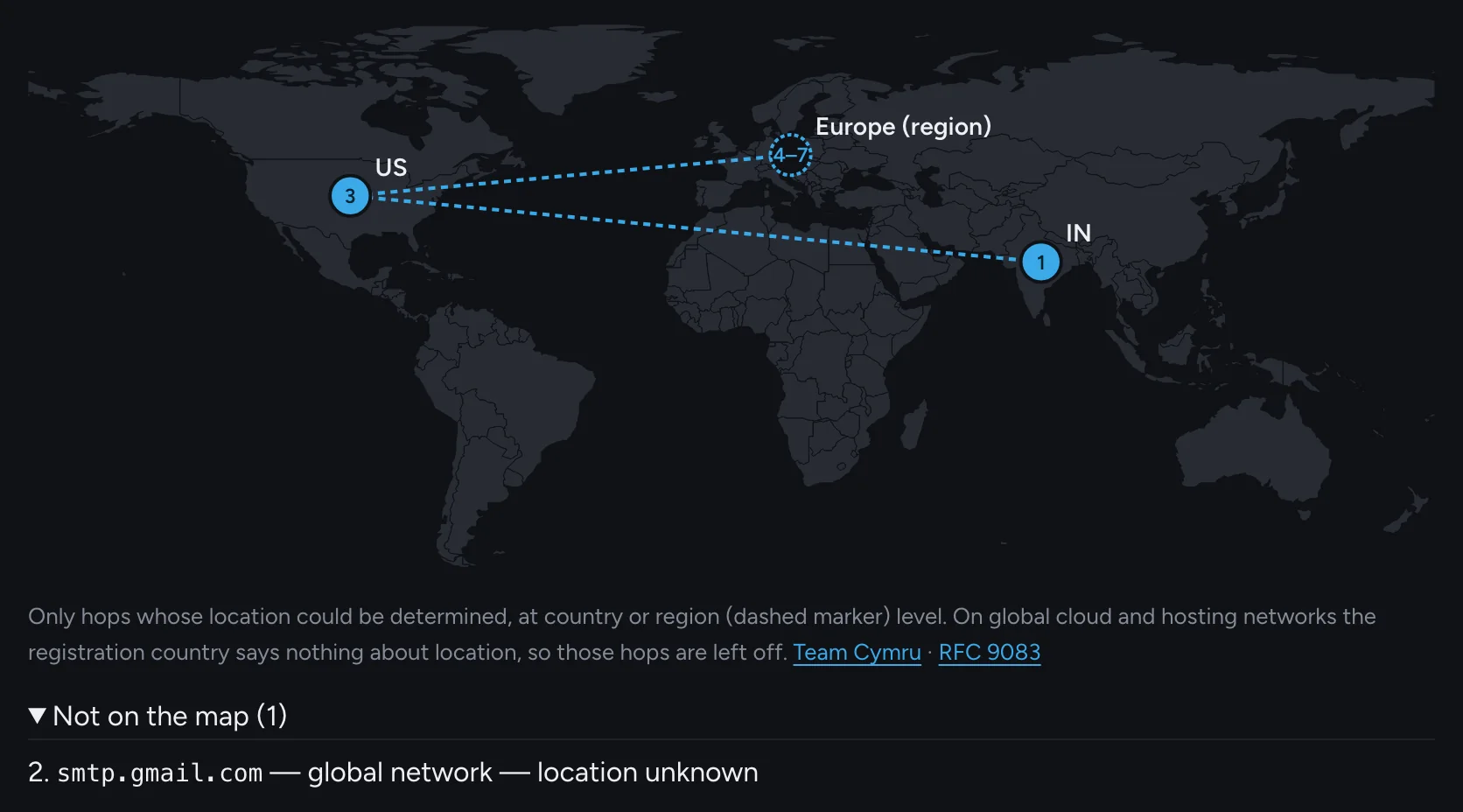
A solid marker shows a country; a dashed marker shows a region (Europe, North America, Asia) or a location that rests only on the network operator’s statement. Hovering over a marker shows the hop names and where the location came from. In the step-by-step path each hop lists, where they could be found, its network name, AS number, reverse DNS name and network type:
- Sending organisation’s network: the IP’s reverse DNS name is under the same domain as the sender.
- Global cloud/platform network: networks such as Microsoft, Google, Amazon and Cloudflare with servers in many parts of the world.
- Hosting network: a data center, VPS or VPN provider.
- Access line (home, mobile or business): an internet access provider’s network. This class is inferred from the network and host names and is labelled as such.
Why is the location only at country or region level?
A header does not say which city an IP address is used in. Team Cymru, where Mailskop gets network information, states on its own page that the country it returns is the one in the regional internet registry (RIR) record and that the service is not a geolocation service. On global cloud networks the gap is large: a server can run in Ireland while its IP block is registered in the United States. So Mailskop shows no cities and takes a location only from one of these sources:
- The country Microsoft recorded: Microsoft 365 writes the country of the IP that connected to it into the
CTRYvalue ofX-Forefront-Antispam-Report. According to Microsoft this may not be the country of the originating sending IP; Mailskop puts it only on the hop that connected to Microsoft, and only when the path shows Microsoft actually accepted the message from that hop. - A region in the server name: an AWS region name such as
eu-west-1. In AWS’s region tableeu-west-1is Ireland. - The datacenter code in a Microsoft 365 server name: Mailskop reads codes such as
EURP…oreurprd…as the Europe region and draws them with a dashed marker. - The IP block’s assignment record: on hosting networks, the country in the RDAP record of the narrowest block containing the IP (RFC 9083). This is the network operator’s statement; it appears on the map with a dashed marker.
- Registration country: on other networks, such as organisation networks and access lines, the registration country of the IP block. It appears with the note “registration country, may not be the physical location”; it is never used on global networks, recognised sending and security platforms, or hosting networks.
If the map shows “VPN?”
If a hop is on a hosting network and that network is one Mailskop associates with VPN exits, or “vpn” or “proxy” appears in the network or host name, the hop says “may be a VPN exit” and the map shows “VPN?” next to the country code. When this is the first hop it also appears as an indication among the suspicion signals: the place on the map may be the VPN server’s, not the sender’s.
This is not a VPN database: Mailskop cannot prove that the IP belongs to a VPN and does not say which VPN service it is. Organisations that host their own server in a data center can send from the same networks.
Hops that are not on the map
A hop whose location cannot be shown stays off the map; it is listed under “Not on the map” below it, with its number, name and reason. If the last hop is not on the map, the reason is not left in the list but written right below the map. The reasons are:
- Global network, location unknown: on networks such as Google, Microsoft or Amazon, or on a recognised sending or security platform, when the server name states no region.
- Hosting network, the registration country may not be where the server is: when the assignment record on a hosting network gave no country; the registration country is still written, but not put on the map.
- Internal address: an address such as
10.xor192.168.xthat is only valid inside the organisation. This IP cannot be looked up on the internet. - No location data: the network lookup did not answer, no record was found for the IP, or the hop has no public IP. Not finding it does not mean there is no location.
The sender’s device may not be in the header
In the example the first hop is the sender’s computer, because the message was sent with a mail program through an account and Gmail wrote the connecting IP. If a message was sent from a platform’s web interface or app, the platform may not write the client’s address into external headers; the first hop is then the platform’s own server. Mailskop says so: the real origin is only visible in the platform’s sign-in logs.
The header is parsed in your browser. For network and location data only individual public IP addresses are sent to our server; email addresses, the subject and the content are not. Answers are cached for at most a day without any record of who asked.
Frequently asked
How can I tell where an email was sent from?
Read the Received lines in the header from the bottom up: the bracketed IP in the from part of the bottom line is the origin address seen by the first server that accepted the message (RFC 5321 §4.4). Mailskop’s header analyzer shows that IP’s network, network type and, when it can be shown, its country, and draws the route on a map.
Can the sender’s city be found from the IP in the header?
A header carries no city. An IP’s registration country is where the block was registered; Team Cymru states this is not a geolocation service. So Mailskop shows no cities; it shows a country or region only from a named source, such as Microsoft’s record, a region in the server name, the assignment record or the registration country, and says which.
Why are Received lines read from the bottom up?
Each server adds its line at the very top of the header and must not reorder existing lines (RFC 5321 §4.4). So the bottom line is the first hop and the top line is the last hop, written by the recipient’s server.
If the map says “VPN?”, did the sender use a VPN?
Possibly; it is not proof. The hop is on a hosting network Mailskop associates with VPN exits, or on a network with “vpn”/“proxy” in its name. The place on the map may then be the VPN server’s; Mailskop does not say which VPN service it is.
Why is a hop not shown on the map?
Because its location cannot be shown: on a global cloud or hosting network the registration country is not where the server is, an internal address cannot be looked up, or the network lookup may not have answered. Mailskop lists these hops below the map with their reasons; it does not make up a location.
Sources
- RFC 5321 §4.4 — Trace Information (Received)
- RFC 5321 §7.1 — Mail Security and Spoofing
- RFC 5322 §3.6.7 — Trace Fields
- RFC 3848 — ESMTP and LMTP Transmission Types
- RFC 9083 — RDAP JSON Responses
- Microsoft Learn — Anti-spam message headers (CTRY)
- Team Cymru — IP to ASN Mapping
- AWS — Regions and Availability Zones
Other guides
- From RFC 7489 to RFC 9989: what to change in your DMARC record
- DMARC from
p=nonetop=reject, step by step - The SPF 10 DNS lookup limit: why it is exceeded and how to fix it
- Setting up SPF, DKIM and DMARC for Microsoft 365
- Setting up SPF, DKIM and DMARC for Google Workspace
- Gmail, Yahoo and Outlook bulk sender requirements
- Email header analyzer comparison: Mailskop, MxToolbox, Microsoft and Google
- Measurement: Email security measurement, September 2026: DMARC, SPF and DKIM across 21,197 domains
Last updated: